Why I built math flashcards around three simple piles
- Flashcards
- Practice
Review math flashcards using three clear groups: Correct, Incorrect, and In Progress. Save your progress, switch between groups whenever you want, and reset your cards for another pass.
Flashcards and saved progress are available to approved, signed-in members.
When I study with paper flashcards, I like being able to see where things stand. The cards I remember go into one pile. The ones I miss stay in another. I keep working through the difficult cards, then gather the stack together for another pass.
That routine helped shape how I built Math Memory’s math flashcards. I wanted the convenience of saved progress with the familiar feeling of sorting cards on a desk. You can see what needs attention, choose what to review, and start a fresh pass whenever you are ready.
Three piles with a clear purpose
I call this CIIP: Correct, Incorrect, In Progress. Each card belongs to one of three groups:
- In Progress: cards you have not yet assessed in the current pass.
- Incorrect: cards you tried but did not recall correctly.
- Correct: cards you recalled correctly and set aside.
Start by trying to answer the question before revealing the other side. Say the answer, write it down, or work it out on paper. Then compare it with the answer on the card and mark whether you got it right.
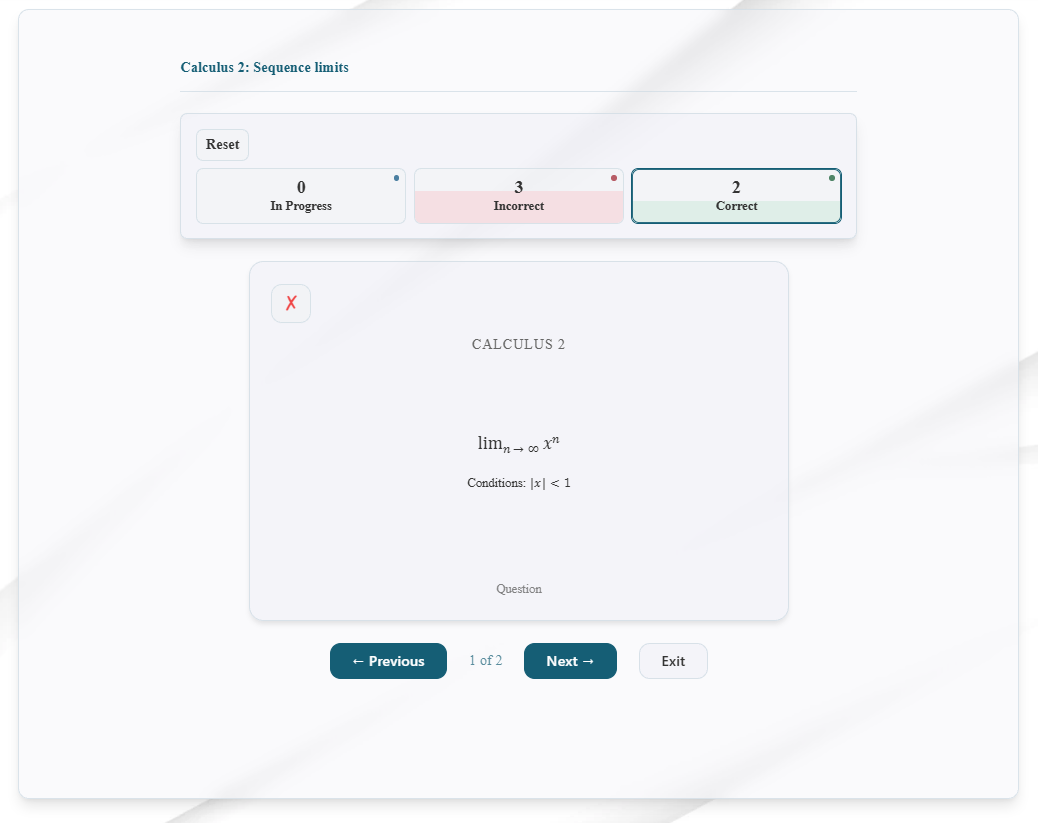
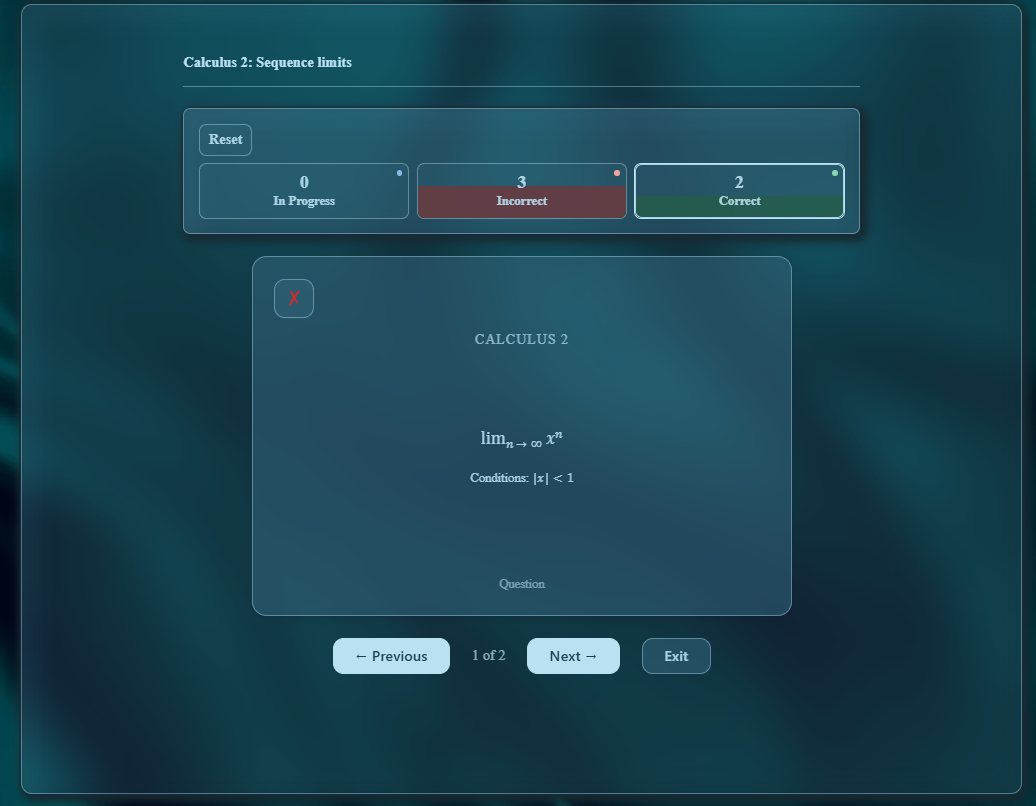
The colored boxes give you a quick picture of your progress through the deck. Each shows a card count, and its colored fill represents that group’s share of the deck. As you study, you can watch the Correct group grow and see how much still needs attention.
 Open full-size light mode screenshot (new tab)
See the same flashcards in dark mode
 Open full-size dark mode screenshot (new tab)
Choose the pile you want to work on
Suppose you start with five cards. You remember two and miss three. Now you have two cards in Correct and three in Incorrect.
Select Incorrect, and those three cards become your focus. As you recall their answers correctly, move them into Correct too. It works much like picking up the smaller pile on your desk and going through it again.
You can move back and forth between the groups whenever you want. Check the cards you previously answered correctly, work on the ones you missed, or return to the cards still in progress. Switching groups keeps their statuses intact.
If you revisit a card in Correct and realize you cannot remember it, you can mark it Incorrect and bring it back into your review.
That control is a big part of what I wanted from this system. The routine centers on a straightforward question: Could I recall the answer? Your groups stay available, and you decide which one deserves another look.
Stop when you need to, then come back
Your flashcard statuses are saved to your account. You can leave a bank partway through and return later with your cards still organized into their groups.
That makes the routine useful for a short review between classes as well as a longer study session. You do not have to finish the entire deck in one sitting, and the cards you marked correct are always available to revisit.
Why I included Reset
Sometimes you get down to a few cards that just will not stick. After several attempts, you may want to put them back with the rest and work through the whole stack again.
That is where Reset comes in.
You can reset the entire bank to In Progress for a fresh pass. You can also reset just the Correct or Incorrect group, depending on what you want to review.
For me, another pass is part of the process. It gives me a chance to revisit the stubborn cards and check whether I still remember the ones I set aside earlier. A card can feel familiar right after I reveal its answer. Trying to recall it again later is a more useful check.
Research on retrieval practice has found that repeatedly recalling answers can improve later retention, even after an initial correct response. That is a good reason to keep returning to the material you want to remember. Read the research on repeated retrieval.
Reset changes your cards’ current statuses while keeping your earlier session history available. You can take another pass now or come back on another day.
Try it with the math you are studying
Choose one of Math Memory’s ready-made question banks, create your own deck, or add cards to a deck you have made. Start with the formulas, definitions, or other math facts your class is covering.
Keep the first set manageable. Try the cards, focus on the ones you miss, and revisit the full set as you continue studying.
I built Math Memory around the kinds of review I wanted as a student. These flashcards are one part of that: a familiar routine, a visible sense of progress, and the freedom to choose what to practice next.
Once signed in, approved members can open Question Banks to start a flashcard session. If you have an idea that would make the experience more useful, I would like to hear it through Feature requests.
New to Math Memory? UTA Student Access explains who can join and how to get started.